List your restaurant where Armenia books dinner
Diners find you, book you, and come back. No commission on bookings.
No card, no setup fee.
- Clear monthly pricing per location
- Free to list
- No setup fee
Your iiko and Mensa keep one diary
Connect your iiko till once. Bookings, tables, arrivals and the stop list then stay in step on both sides, so Mensa does not offer a table iiko already has.
Included in Host
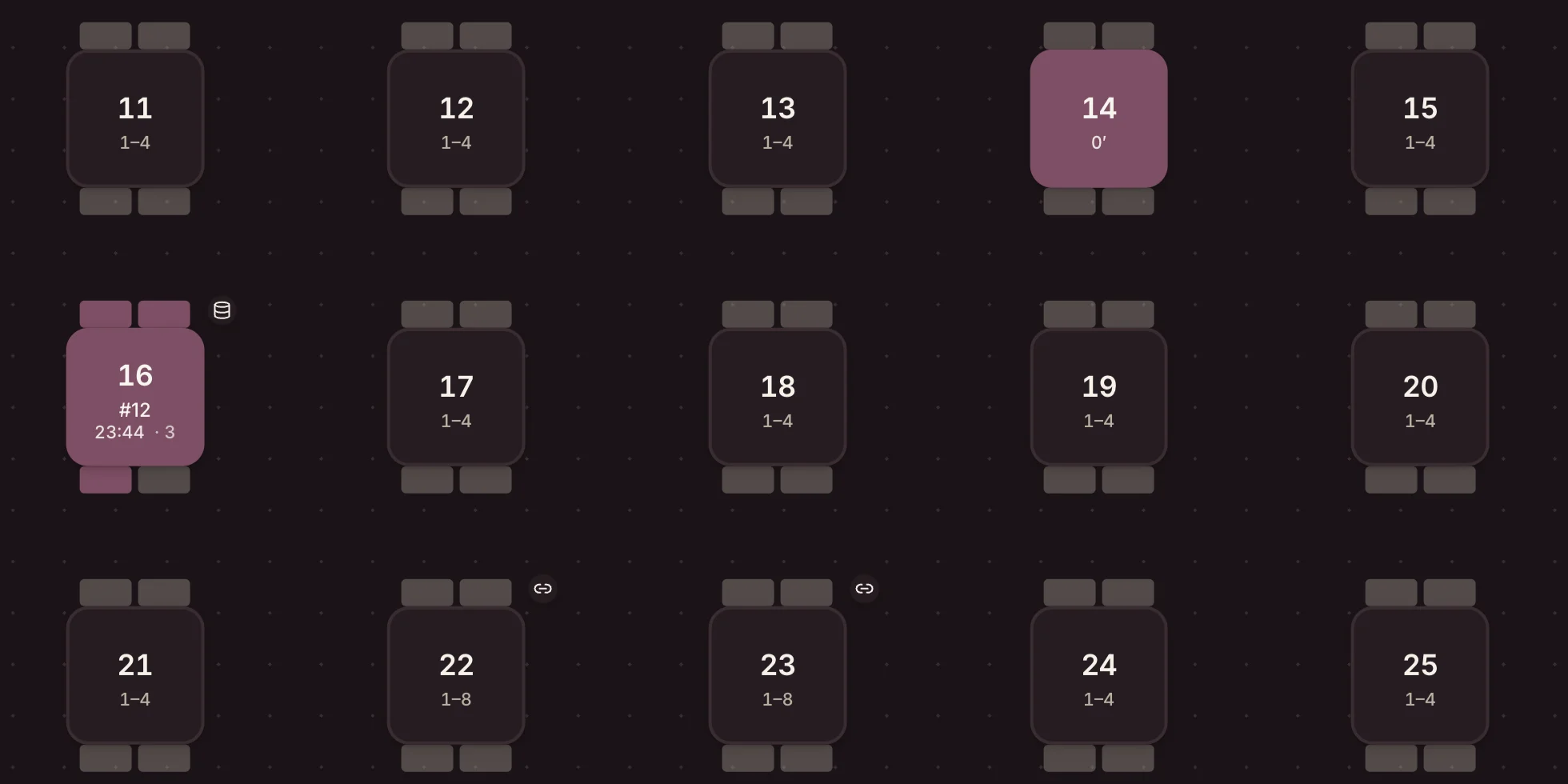

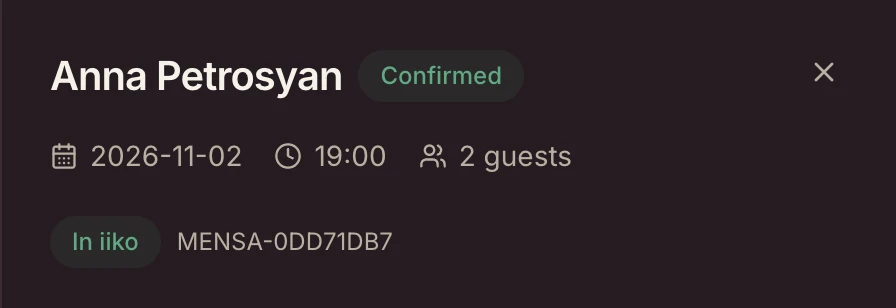
What stays in step
- Confirmed Mensa bookings appear in iikoFront, on the right table.
- iiko reservations and open orders hold their tables in Mensa.
- Arrivals, moves, new times and cancellations made in iiko come back to Mensa.
- The stop list marks dishes sold out within a minute, and prices follow iiko.
- If the till goes offline, Mensa holds new bookings, tells you, and sends them once it is back.
- Setup is one iiko API key; your rooms and tables come in from iiko.
Mensa writes only bookings to iiko, and only once you switch that on. Your tables, menu, stop list and orders are read, never changed.
Manager screens in English, shown with a demo restaurant and sample bookings.
Using iiko? Say so in the form.
What a restaurant gets
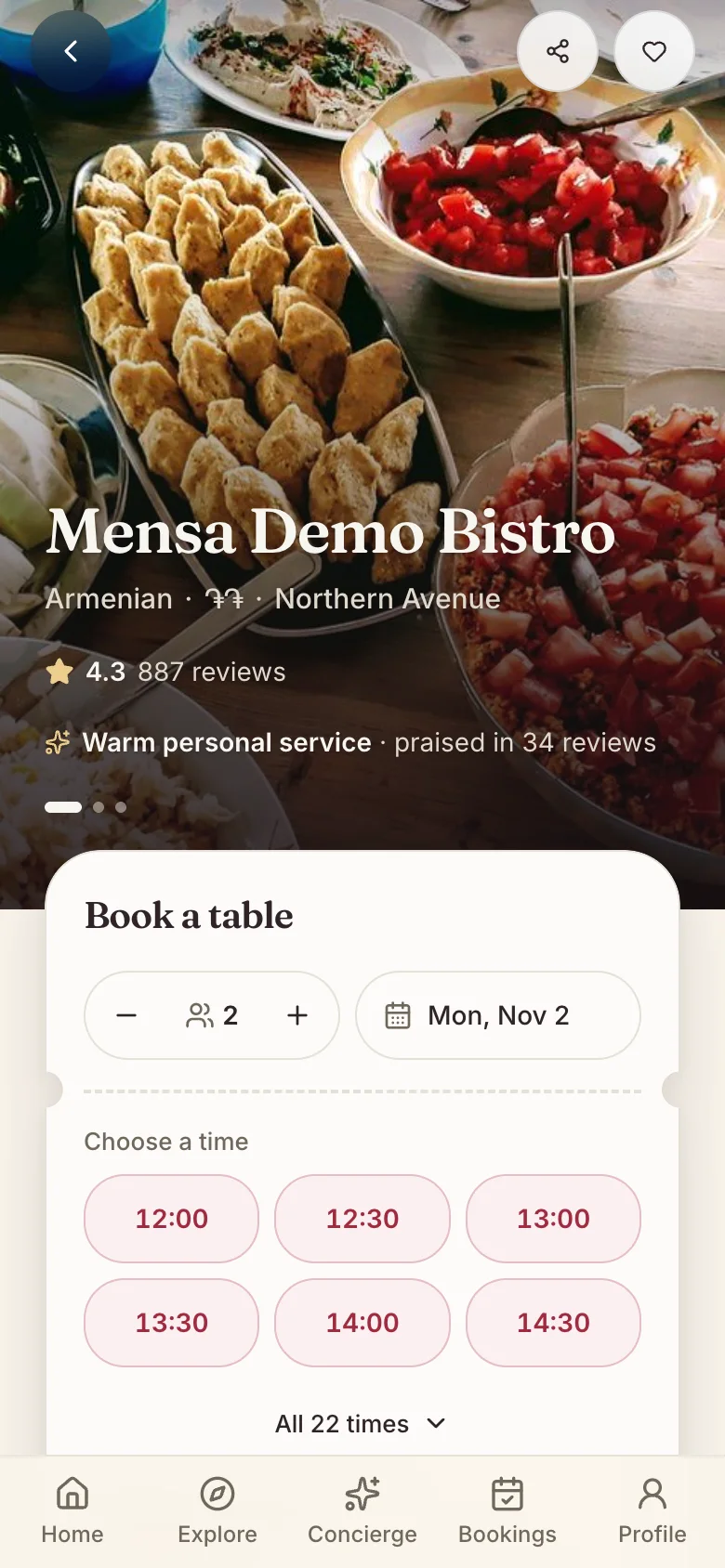
Be found by people deciding where to eat tonight
Included in Free- Your profile, photos and menu on MensaYour photos open the page, with your name, cuisine and area on them.
- Reviews from diners who actually ate with youYour rating and how many reviews you have sit right under your name.
- Bookings that land straight in your bookBelow them, the booking: party size, day and the times you have a table free.
Run the service instead of the phone
The dashboard your team opens at the start of the shift, shown on a demo restaurant.
Included in Host- An interactive floor plan and table management
- AI seating suggestions for bookings, walk-ins and the waitlist
- Waitlist and walk-ins in the same place as the book


Shown with Lavash & Vine, a demo restaurant with sample bookings.
Know who is walking through the door
- A guest record that remembers allergies, regulars and no-showsIncluded in Host
- Analytics for covers, demand and where bookings come fromIncluded in Full House
- Win-back campaigns for guests who stopped comingIncluded in Full House
What it costs
The subscription has a monthly price per location. Optional paid campaigns are priced separately.
Free forever
Profile, discovery, reviews and up to 30 online bookings a month. No card.
From 24,900 AMD a month
The floor plan, waitlist, walk-ins and guest CRM, per location.
Questions restaurants ask
- What do you take per booking?
- Mensa charges no commission on standard bookings. Optional paid campaigns have separate fees; we'll confirm their terms before you enable one.
- Do we have to pay to be listed?
- No. The Free plan needs no card and has no end date: profile, discovery, reviews and up to 30 online bookings a month. The paid plans add the tools for running the service itself.
- We take bookings by phone. Does that still work?
- Yes, and they land in the same book. Phone bookings, walk-ins and the waiting list sit alongside the online ones rather than in a separate system.
- Does anything go live before we are ready?
- No. Being approved is not being published. You complete your setup first, and nothing is visible to diners until we publish you.
- We already run iiko. What does Mensa change there?
- Only what you switch on: your confirmed Mensa bookings, sent to iiko as reserves. Tables, menu, stop list and orders are read without being changed. iiko is included from the Host plan up, for one location or several.
Apply to join
Five questions we need, and a few we don't. Our team reads every application.
What happens after you send this
- We read every application, and reply to the details above.
- If Mensa is a fit, we create your listing and email you an invitation.
- You work through a nine-step setup, and we publish you. Nothing is visible to diners until then.